
Music Mode
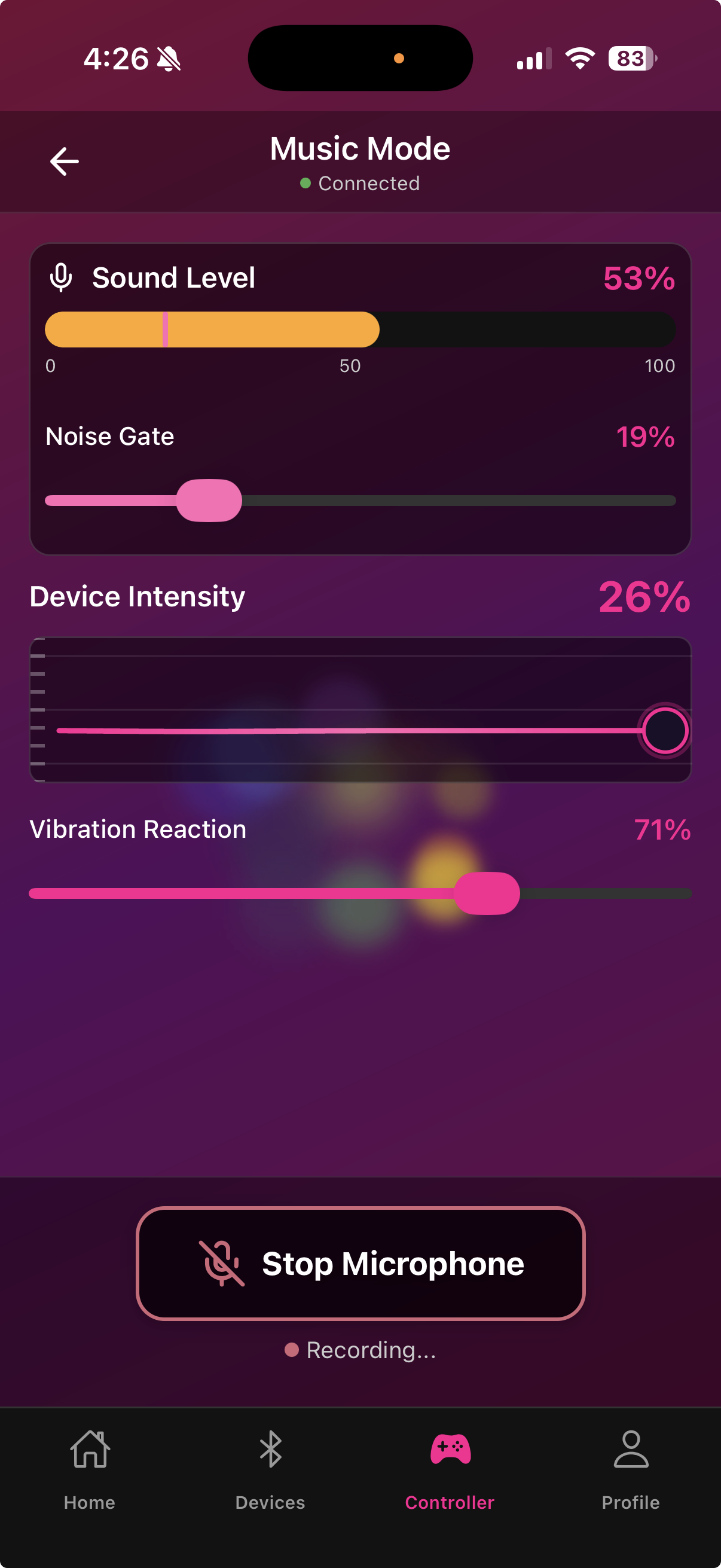
Music Mode translates audio into device intensity in real time. The louder or more intense the audio, the higher the device output. You can use your phone's microphone to pick up any audio, or load an audio file directly.
Audio sources
Microphone — the app listens to your phone's microphone and samples audio every 30 milliseconds. Volume peaks drive immediate intensity spikes; quieter sections let intensity fall. Works with music playing through speakers, a live stream, or any ambient audio.
Audio file — load a song or audio file from your phone's library. The file plays through the app's audio engine and drives the device in sync. This gives a more consistent, reproducible experience since the waveform is always the same.
Threshold and sensitivity
Threshold — sets the minimum audio level that triggers any device response. Raise the threshold to filter out background noise; lower it to react to quieter sounds.
Sensitivity — controls how aggressively audio peaks translate into intensity spikes. High sensitivity creates sharp, reactive bursts; low sensitivity smooths out the response for a gentler feel.
Secondary motor reaction
When your device has a rotation or thrust motor, Music Mode can drive it too. A separate toggle in Music Mode settings enables or disables the secondary motor reaction. The secondary motor typically tracks the same audio signal but at a lower intensity level.
Starting Music Mode
Tap Music Mode on the Controller screen
Choose Microphone or Audio File
If using a file, select it from your library
Adjust threshold and sensitivity
Tap Start — the device will begin responding to audio immediately

For streaming on Chaturbate, Microphone mode picks up your stream's audio mix if you play music through your speakers. Audio File mode is better for private sessions with consistent tracks.
Last updated in v1.3.0