
Remote Sharing
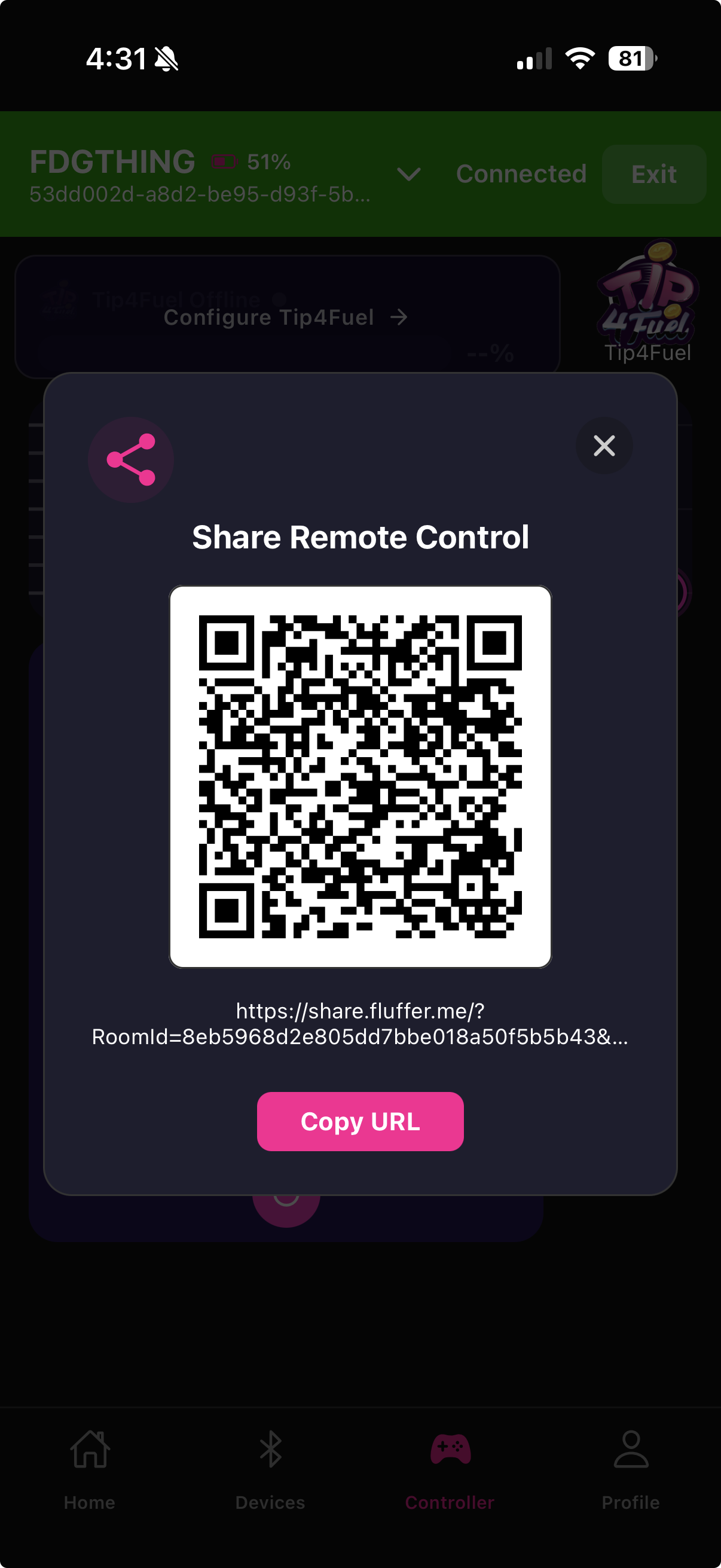
Remote Sharing lets a partner control your device from a web browser anywhere in the world. You generate a link, send it to them, and they get a controller interface in their browser that drives your device in real time.
How it works
When you start a Remote Sharing session, Fluffer generates a unique session link. Your partner opens the link on any device with a web browser — no app download required. They use a joystick control in the browser to set intensity, and the signal is relayed to your device over Fluffer's real-time relay system.
The session uses an 8-character message key for security. Each session has a different key, so old links cannot be reused.
Starting a session
Tap Remote Sharing on the Controller screen
Select the device type you want to share
Fluffer generates a unique link and shows a QR code
Share the link or let your partner scan the QR code
When your partner opens the link and connects, your device starts responding to their input
During a session
Your device responds to your partner's browser joystick in real time. You can see session status on the Remote Sharing screen. Your partner sees a simple joystick interface at their end — no account or app needed on their side.
Ending a session
Tap End Session on the Remote Sharing screen to disconnect. The session key expires immediately and the link stops working. Your partner's browser will show a session ended message.

Remote Sharing requires an active internet connection on both sides. The session is end-to-end encrypted via the session key — no one else can join your session URL.

Test with the link open on a second device before sharing with a partner to confirm your device responds as expected.
Last updated in v1.3.0