
A Tour of the App
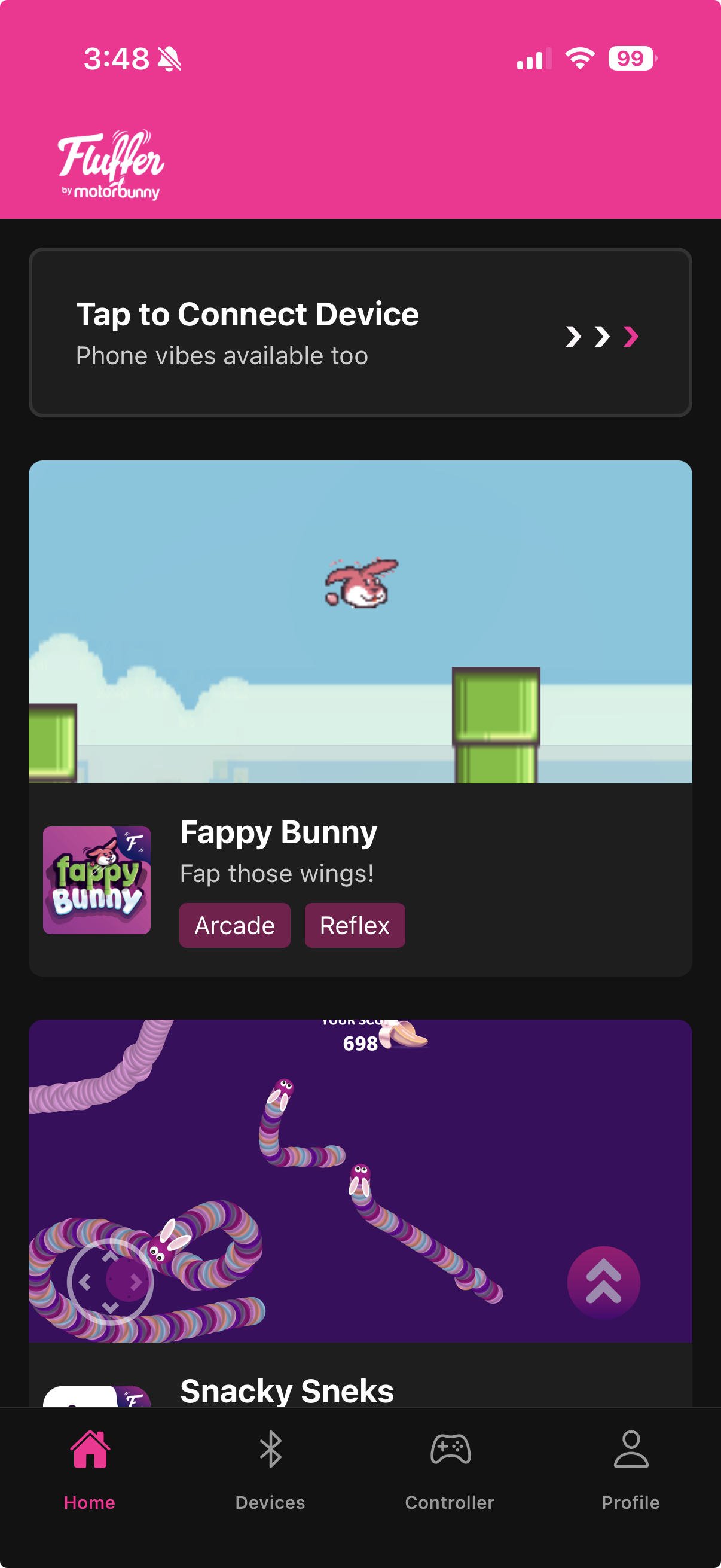
Fluffer is organized into four main tabs at the bottom of the screen.
Home — Games
The Home tab is your games library. Browse all available games, read the description of each, and tap Play to launch. Once a game is running, your connected device responds to what happens in the game automatically — no joystick needed.
Devices
The Devices tab is where you manage your Bluetooth connections. Tap Scan to search for nearby devices, tap a device to connect, and use this tab to rename devices, group multiple devices together, or pair the Playmate accessory.
Controller
The Controller tab is the heart of the app. The main screen shows one or more joysticks you can drag to control your device's intensity. From here you can also launch:
Music Mode — sync your device to live audio or a music file
Pattern Playback — play pre-built or custom patterns
Draw a Pattern — draw a vibration curve on a canvas and save it
Gaming Mode — tilt-based control via the Playmate accessory
Tip4Fuel — connect to Chaturbate and set up your stream overlay
Remote Sharing — share control with a partner via a browser link
Profile
The Profile tab holds your account settings: edit your name and email, set a device power cap, change your password, submit feedback, and sign out.

New to Fluffer? Start with the Devices tab to pair your device, then head to Controller to explore the modes.
Last updated in v1.3.0