
Customizing Widget Appearance
Every Fluffer widget supports visual customization so you can match your stream's look and brand. Changes are made in the OBS Overlay settings screen inside the Fluffer app.
Themes
All widgets share a global theme setting:
Dark — dark background with light text. Works on most stream layouts and backgrounds.
Light — light background with dark text. Best when your stream has a white or light background element.
Neon — dark background with vibrant glowing accents. Popular for high-energy streams and adult content platforms where a bold visual style fits.
Set the theme in the OBS Overlay settings screen in Fluffer. All widgets automatically use the selected theme unless overridden individually.
Per-widget color overrides
Each widget has an Accent Color setting that overrides the theme's default highlight color for that widget only. Use this to give each widget a different color while keeping the same background theme, or to match your stream's brand color.
Tap the color swatch next to any widget's settings to open the color picker.
Previewing before going live
Each widget URL loads in any browser — open the URL on your PC before adding it to OBS to see exactly how it looks. Make appearance changes in Fluffer, then refresh the browser tab to preview the result.
This lets you finalize the look offline before your stream starts.
Layout tips
Fuel Gauge at the bottom center draws the eye toward tip goals
Tip Alert in the upper third reads well without covering facial expressions
Recent Tippers at the very bottom as a lower-third
Intensity Meter as a vertical bar in a side panel keeps it out of the main frame
Controller as a featured inset at moderate opacity gives viewers a live window into what you are experiencing

Test the full widget layout at your stream's resolution (1080p typical) before going live. What looks large in OBS canvas preview can feel small when viewed as a stream.
Additional widgets
Device Connection

The Device Connection widget shows the current Bluetooth connection status of your Fluffer device. It lets viewers see at a glance whether the device is connected and ready, which is useful for streams where connection drops are part of the experience.
Goal

The Goal widget displays a tip goal progress bar — how far the current Tip4Fuel session has progressed toward a target amount. Set a goal in Fluffer and this widget tracks progress live so viewers can rally toward it together.
Top Tippers
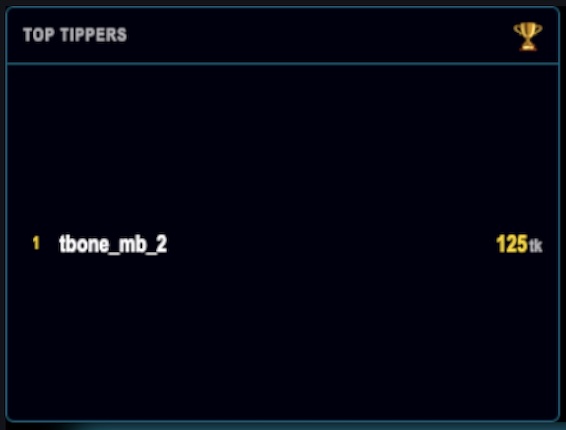
The Top Tippers widget shows a ranked leaderboard of the highest tippers for the current session. It encourages competition between viewers by keeping the top contributors visible throughout the stream.
Last updated in v1.3.0