
OBS Overlay Overview
The Fluffer OBS overlay lets you add live Tip4Fuel stats and device controls directly to your stream. Viewers see real-time information about tip activity and device intensity without any special streaming setup beyond OBS.
How it works
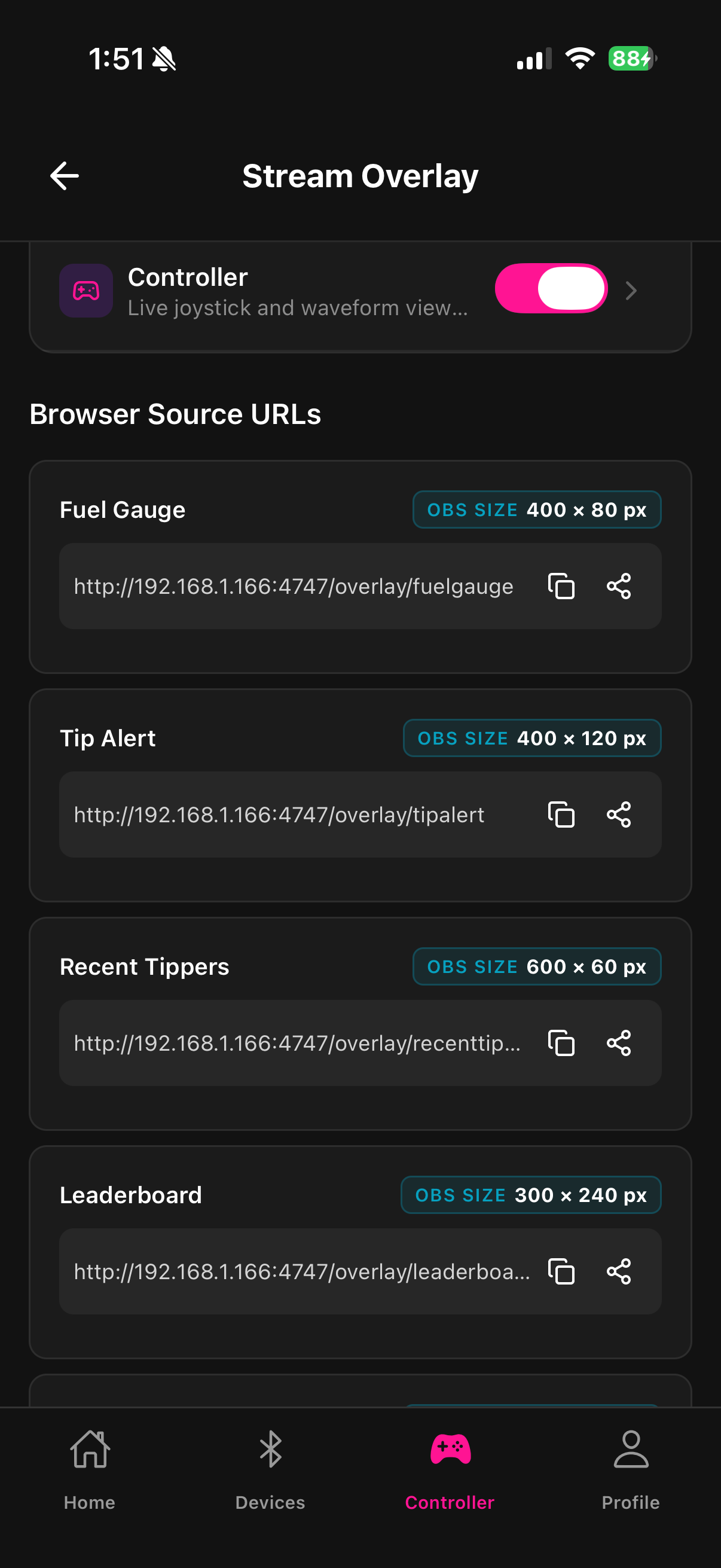
Fluffer runs a local HTTP server on your phone (accessible from your PC over your local network). OBS connects to that server as a Browser Source. The widgets update automatically as tips come in and device intensity changes — no manual refreshing needed.
Available widgets
Fuel Gauge — a horizontal bar showing the current fuel tank level. Viewers see exactly how full the tank is and when it's about to run out.
Tip Alert — an animated pop-up that appears whenever a tip arrives. Shows the tipper's name and amount in a customizable overlay.
Recent Tippers — a scrolling ticker listing the most recent tippers by name and amount.
Intensity Meter — a bar that shows current motor intensity in real time.
Controller — a full read-only replica of the Fluffer controller screen. Viewers see the joystick position and waveform display live.
Why use the overlay
The overlay turns Tip4Fuel into a visible, interactive experience for your viewers. When they can see the fuel gauge draining and watch tip alerts fire in real time, tipping becomes a participatory act rather than a background transaction. Streamers who use the overlay typically see more frequent tips and higher engagement during Tip4Fuel sessions.
Last updated in v1.3.0