
Chaturbate Setup
To use Tip4Fuel, you need to connect Fluffer to your Chaturbate account. This is done through Chaturbate's Events API.
Step 1: Find your Events API URL
Log in to Chaturbate as a broadcaster
Go to your Account Settings (top right menu)
Find the Events API section
Copy your unique Events API URL — it contains your username and a private token
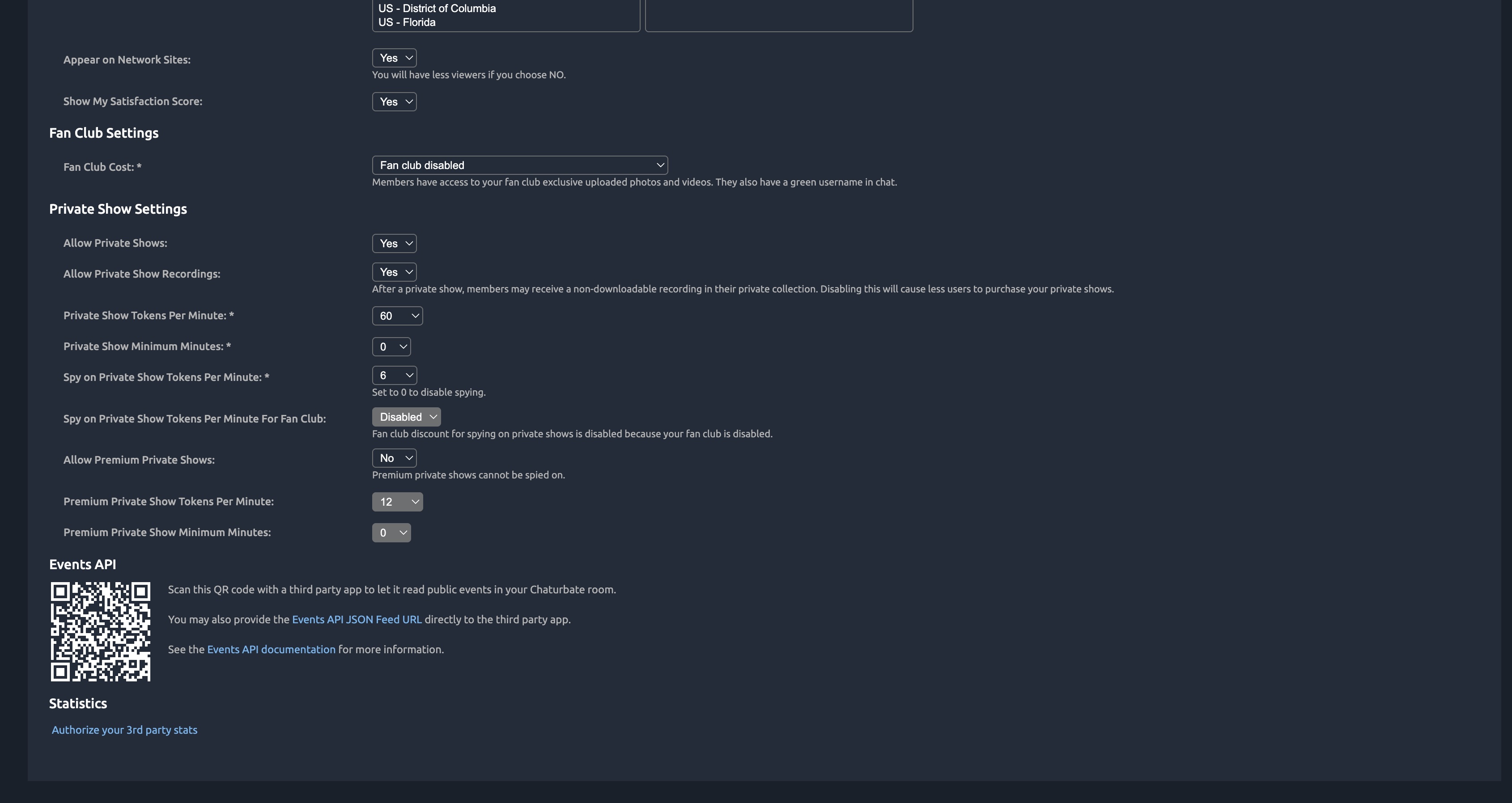
Your Events API URL looks like this: https://eventsapi.chaturbate.com/events/{your-username}/{your-token}/

Your Events API token is private. Do not share it publicly. Anyone with this token can read your tip events.
Step 2: Enter your details in Fluffer
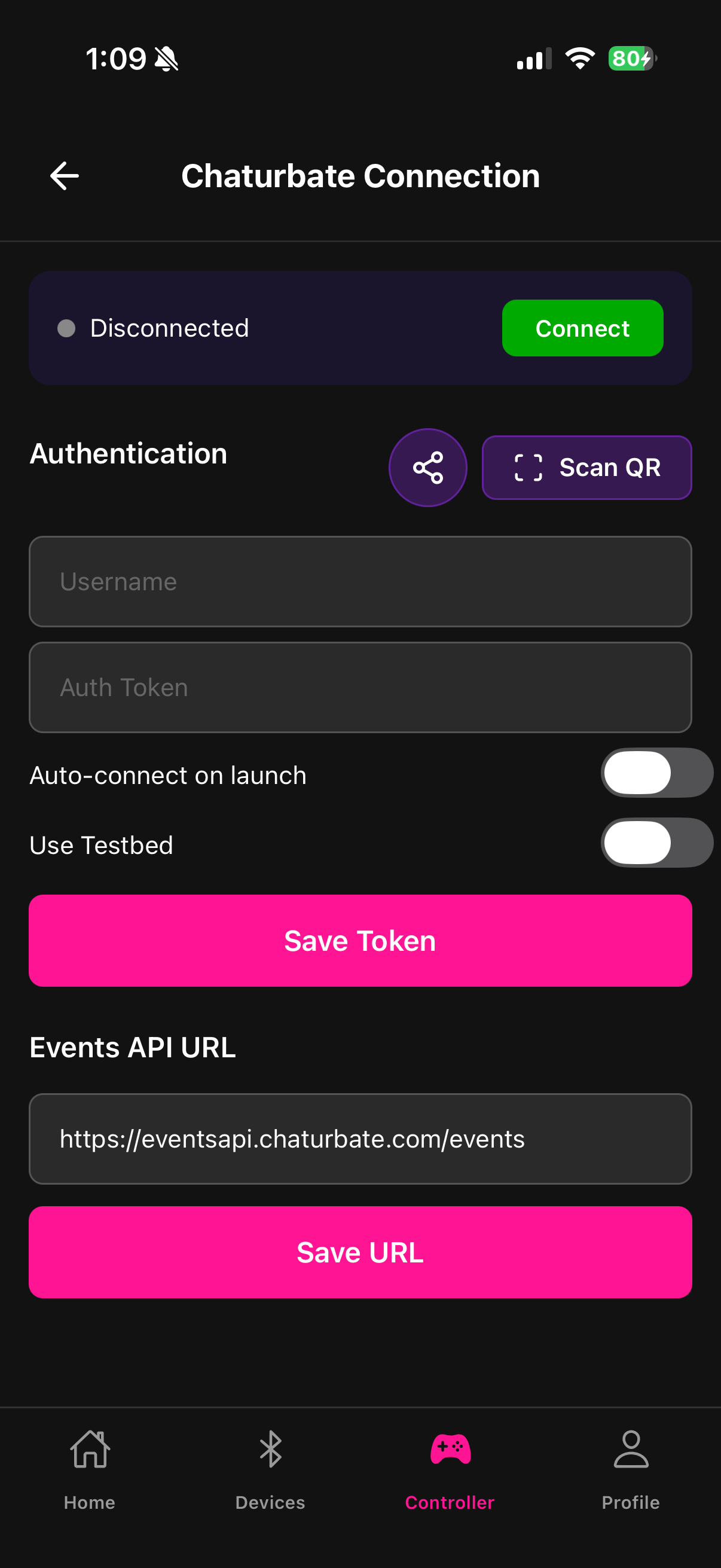
Open the Tip4Fuel section in Fluffer
Tap Connect Chaturbate
Enter your Chaturbate username and token from the Events API URL
Alternatively, tap Scan QR if Chaturbate provides a QR code in your account settings — this fills in both fields automatically
Step 3: Test the connection
Toggle the Testbed switch to enter test mode. In testbed mode, you can simulate tip events to confirm your device responds correctly without needing real viewers to tip. Use this to set your conversion table and check that the fuel system responds as expected.
Toggle testbed off when you are ready to go live.
Auto-connect
Enable the Auto-connect toggle to have Fluffer automatically reconnect to Chaturbate when you open the app, so you do not have to manually reconnect before each stream.

Bookmark the Chaturbate Events API page so you can find your token easily before each broadcast.
Last updated in v1.3.0