
Fuel Modes
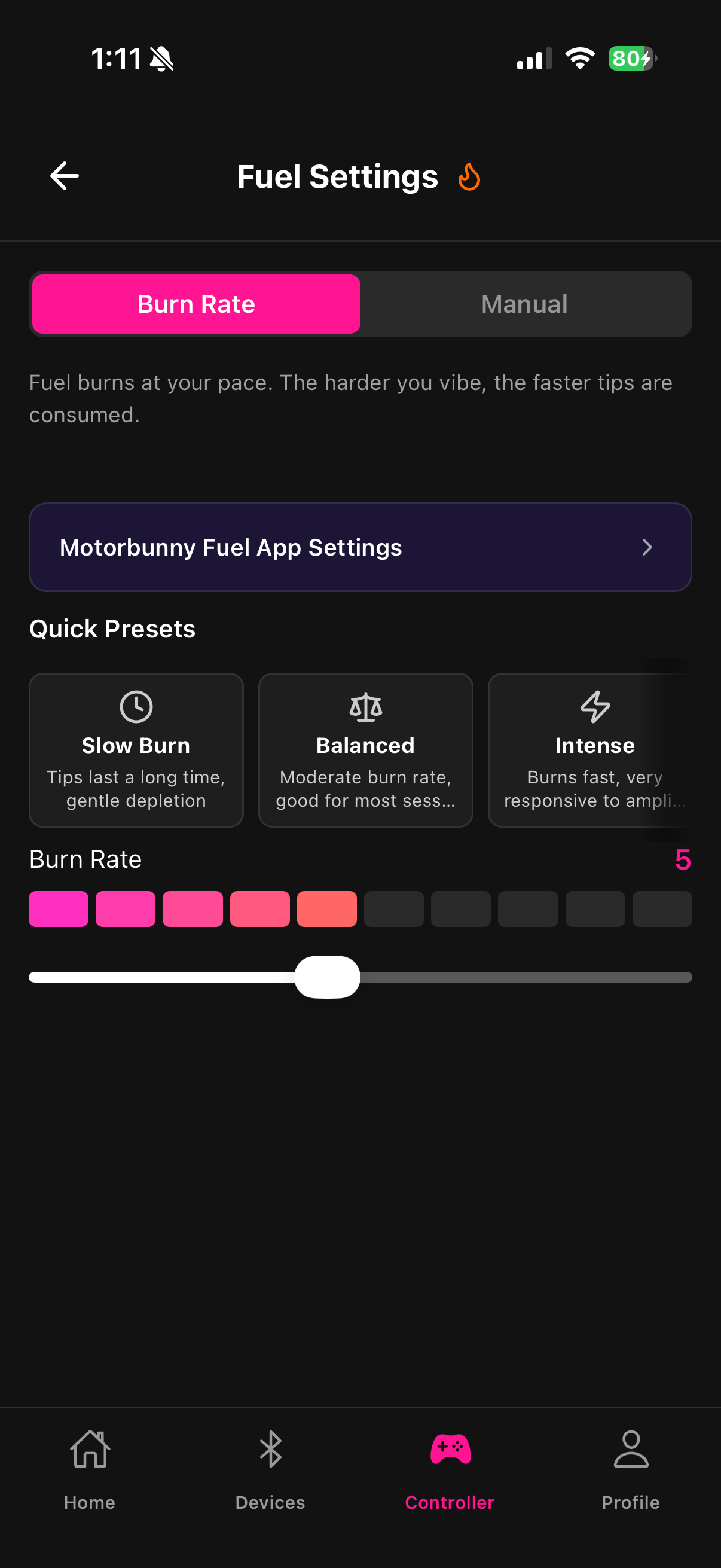
Fuel Modes control how the fuel in your tank translates to device intensity over time. Fluffer has two modes and four built-in presets.
Manual Mode
In Manual Mode, the fuel burns at a fixed rate regardless of intensity. The burn rate is constant — the tank empties at the same speed whether the device is at low or high intensity.
Use Manual Mode when you want predictable, consistent behavior. Tips have a straightforward, calculable impact on run time.
Efficiency Mode
In Efficiency Mode, the burn rate scales with the current intensity level. High intensity burns fuel faster; low intensity burns fuel slowly. This means:
A large tip creates a powerful spike that burns through fuel quickly
Small tips at low intensity last much longer
The device naturally self-regulates — big spikes are exciting but short-lived; low-level tips can sustain the device for extended periods
Efficiency Mode tends to feel more dynamic and organic on stream.
Built-in presets
The four presets configure burn rate, power multiplier, and mode settings together:
Big Spender — large tips create huge intensity spikes; optimized for high-tip audiences. High burn rate.
Max Vibe — maximizes sustained intensity when the tank is full. Best for audiences that tip frequently.
Slow Burn — tips last a long time. Low burn rate keeps intensity going between tips. Good for lower-frequency tip patterns.
Balanced — moderate burn rate and power multiplier. A good starting point before customizing.

Start with Balanced for your first stream, then adjust based on how your audience tips — if tips trail off quickly, switch to Slow Burn. If you want bigger reactions, try Big Spender.
Last updated in v1.3.0